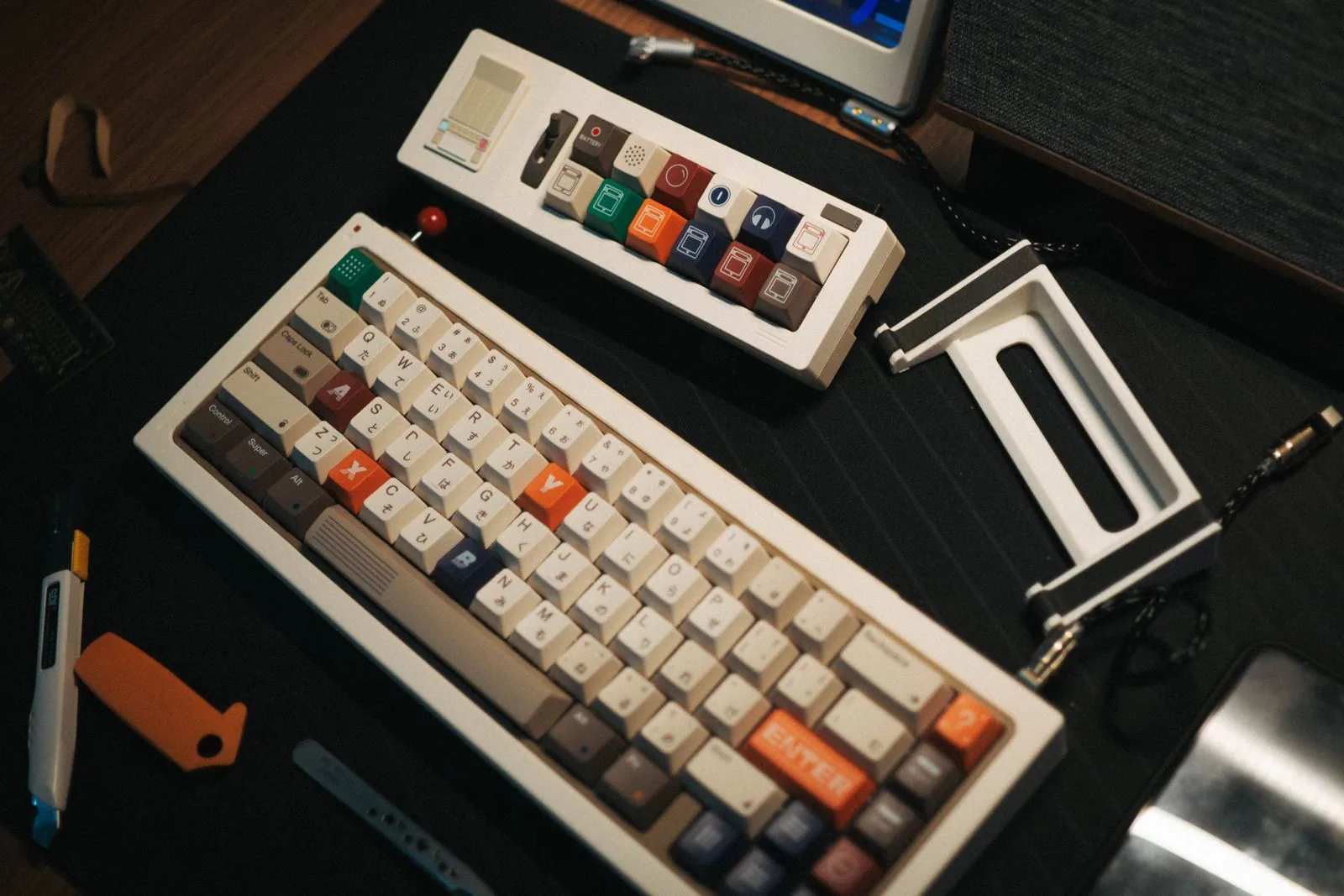
The best retro keyboard for most people is the 8BitDo Retro Mechanical Keyboard: it connects three ways (Bluetooth, 2.4G and USB), has hot-swappable switches and carries a 4.8/5 rating from about 2,500 Amazon ratings on the C64 Edition listing. If you want the round-keycap typewriter look on a budget and only need a cable, the RK ROYAL KLUDGE S108 has the strongest rating record of the typewriter-style boards we compared (4.6/5 from 7,700+ ratings).
We may earn a commission when you buy through links on this page, at no extra cost to you. As an Amazon Associate we earn from qualifying purchases.
“Retro keyboard” covers two different things on Amazon. One is the console-inspired board (8BitDo’s NES, Famicom and Commodore 64 color schemes) with modern square keycaps. The other is the typewriter-style board with round, raised keycaps and often a chrome-look “carriage return” lever. Both are usually clicky mechanical keyboards underneath, but they differ a lot in connection options, switch swapping and which computers the maker actually supports. That last point trips up Mac owners most often, so it gets its own column below.
How we chose
We started with Amazon’s live product data for “retro” and “typewriter” mechanical keyboards, kept models that were in stock in November 2026, and then checked each one against its Amazon listing, Amazon’s review summary (“Customers say”) and, where it exists, the manufacturer’s spec page. We dropped boards with only a handful of ratings unless they filled a gap nobody else did. We have not tested these keyboards ourselves; everything below comes from manufacturer specs, the listings and the owner reviews Amazon summarizes. Prices change too often to print, so use the buttons to check the current one.
Retro keyboards compared
| Model | Style | Keys | Switch | Hot-swap | Connection | OS listed by seller | Amazon rating (Nov 2026) |
|---|---|---|---|---|---|---|---|
| 8BitDo Retro Mechanical Keyboard (87) | Console (NES, Famicom, C64, M) | 87 | Kailh Box White V2, clicky | Yes | Bluetooth, 2.4G, USB | Windows 10 (1903)+, Android 9+ | 4.8/5, ~2,500 (C64 Edition) |
| 8BitDo Retro 108 | Console (N, Fami) | 108 (numpad) | Kailh Box White V2, clicky | Yes | Bluetooth, 2.4G, USB | Windows 10 (1903)+, Android 9+ | 4.8/5, 385 (N Edition) |
| RK ROYAL KLUDGE S108 | Typewriter | 108 | Blue, clicky | No | USB only | Windows, macOS, Linux | 4.6/5, 7,756 |
| AULA F2088 | Typewriter | 104 | Blue, clicky | Not stated | USB only | Windows, macOS, Linux | 4.5/5, 2,799 |
| 7KEYS Retro Typewriter (TW1868) | Typewriter, wood-grain | Not stated | Blue, clicky | Yes | Bluetooth 5.0, 2.4G, USB-C | Windows, macOS, iPad, phones | 4.2/5, 96 |
| Adventurers Typewriter-Style | Typewriter, compact | 83 | Blue, clicky | Yes (per description) | Bluetooth 5.0, USB-C | Windows, macOS, Linux, iOS, Android | 4.2/5, 849 |
| Camiysn Typewriter Style | Typewriter | 104 | Blue, clicky | Not stated | USB only | Windows, macOS, Linux | 4.3/5, 6,900+ |
“Not stated” means the listing doesn’t say either way. Ratings are from the Amazon product pages on November 21, 2026.
1. 8BitDo Retro Mechanical Keyboard: best overall
8BitDo makes retro game controllers, and this keyboard borrows the color schemes of the NES (N Edition), the Japanese Famicom (Fami Edition), the Commodore 64 and others. It is an 87-key tenkeyless board with an aluminum plate, Kailh Box White V2 switches on a hot-swappable PCB, and a pair of oversized programmable “Dual Super Buttons” that sit on your desk and connect to the keyboard. The C64 Edition adds a Super Stick and uses double-shot ABS keycaps in SA profile; the N and Fami Editions use dye-sublimated PBT keycaps.
8BitDo rates the 2,000 mAh battery at 200 hours of use with a 4-hour charge. The keyboard measures 376.6 x 169.6 x 46.8 mm (about 14.8 x 6.7 x 1.8 in) and weighs 1,050 g (2.3 lb). Tom’s Guide’s review lists 45 g actuation force and 3.6 mm total travel for the white switches, up to 3 paired devices, and no backlighting.
Who it’s for: Windows or Android users who want a retro look with modern internals, and anyone who wants to try other switches later without soldering.
Who should skip it: Mac-first buyers and anyone who types in the dark. 8BitDo officially supports only Windows 10 (1903) and later and Android 9 and later. Retailer The Pi Hut notes it works on macOS as a plain keyboard, but some features aren’t available.
- Pro: three connection modes, so one keyboard covers a desktop, a laptop and a tablet.
- Pro: hot-swappable PCB and n-key rollover.
- Pro: owners in Amazon’s review summary repeatedly describe it as “built like a tank” and praise the click sound and typing feel.
- Pro: the programmable buttons can be mapped without software.
- Con: no backlight.
- Con: no official macOS support.
- Con: tenkeyless, so no number pad (see the 108 below).
Check price on Amazon (C64 Edition)
2. 8BitDo Retro 108: best retro keyboard with a number pad
The Retro 108 is the same idea in a full layout: 108 keys with an integrated numpad, the same Kailh Box White V2 switches, hot-swap PCB, dye-sub PBT keycaps and the same 2,000 mAh battery rating (200 hours, 4-hour charge). It adds magnetic foldable feet and function-key shortcuts for calculator, function lock and screen lock. It’s larger and heavier at 458.7 x 169.7 x 47.8 mm (about 18.1 x 6.7 x 1.9 in) and 1,350 g (3.0 lb). One set of Dual Super Buttons is included.
Who it’s for: spreadsheet and data-entry users who still want the NES or Famicom look.
Who should skip it: small desks, and anyone on a Mac (same official OS list as the 87-key model).
- Pro: full numpad without losing the wireless modes.
- Pro: Amazon’s summary says owners praise the build quality, tactile feel and “clicky-clack” sound.
- Pro: switches can be swapped later.
- Con: Amazon’s summary calls functionality “mixed,” with some owners reporting major issues; the rating pool (385) is much smaller than the 87-key model’s.
- Con: about 300 g heavier and 3 inches wider than the 87-key version.
Check price on Amazon (N Edition)
3. RK ROYAL KLUDGE S108: best wired typewriter keyboard
The S108 is a full-size, 108-key wired board with round typewriter keycaps, blue clicky switches, an aluminum alloy top panel, a detachable ABS wrist rest and per-key RGB plus a transparent sidelight. All keys are anti-ghosting, and the seller lists Windows, macOS and Linux as plug and play with no drivers. The listing also says the round keycaps can be swapped for standard keycaps if you get tired of the look.
Who it’s for: desktop users who want the typewriter look at the lower end of this list and have no need for wireless.
Who should skip it: anyone who wants to change switches. The product description states plainly: “The switches are not swappable.”
- Pro: the largest rating pool of the typewriter boards here (4.6/5 from 7,756 ratings).
- Pro: full layout with number pad.
- Pro: works on Mac and Linux according to the listing.
- Con: wired only.
- Con: switches are soldered, not hot-swap.
- Con: blue switches are loud; not a shared-office keyboard.
4. AULA F2088: best for media controls
The F2088 is another wired 104-key typewriter board with blue switches, but it adds a dedicated multimedia knob (volume, play/pause, track and lighting control; a 3-second press switches the knob between media and lighting) and a magnetic wrist rest. The keycaps are double-shot injection molded, there are 19 lighting effects plus 3 custom slots, and a keycap puller is included. The listing names Windows, Linux and macOS.
Who it’s for: people who listen to music while they work and want a physical volume knob.
Who should skip it: laptop and tablet users who need wireless.
- Pro: 4.5/5 from 2,799 Amazon ratings.
- Pro: volume knob and magnetic wrist rest included.
- Pro: double-shot keycaps, so the legends are molded in rather than printed on.
- Con: wired only; the listing doesn’t say whether switches are hot-swappable.
- Con: the backlight is rainbow LED, not per-key RGB you can set to one color per key.
5. 7KEYS Retro Typewriter (TW1868): best for iPad and phone typing
This is the most “typewriter” of the group: an aluminum panel electroplated with a wood-grain finish, round keycaps, dark pull rods and rollers, and a leather wrist rest. The lever is functional; you pull it to change the RGB lighting (14+ modes). It connects by Bluetooth 5.0, 2.4G receiver or wire, pairs up to 3 devices, and switches on Bluetooth automatically at power-up, which is why the seller pitches it at iPad users. The switches are hot-swappable, and the package list includes 4 spare blue switches, the 2.4G receiver and a charging cable.
Who it’s for: writers who want a typewriter-looking desk piece that also types on a tablet.
Who should skip it: buyers who want a long track record. It has only 96 ratings, far fewer than the others.
- Pro: three connection modes and 3-device pairing.
- Pro: hot-swap with spare switches in the box.
- Pro: Amazon’s summary says owners like the build quality, appearance and click sound.
- Con: connectivity and backlighting get “mixed” feedback; one owner found the backlight too bright to read the keys.
- Con: owners disagree on whether it’s worth the price.
6. Adventurers Typewriter-Style: best compact typewriter keyboard
At 83 keys and 12.8 x 6.6 x 1.6 in, this is the smallest board here. It connects by Bluetooth 5.0 to up to 3 devices or by USB-C cable, has a built-in phone holder slot, and the description lists a hot-swap blue switch. The wood version has a white backlight; the black version has rainbow lighting. One quirk from the seller’s own notes: in Bluetooth mode, plugging in the cable does not make it type over USB. You have to switch modes with Fn+Q/W/E first.
Who it’s for: small desks and people who move between a laptop and a phone.
Who should skip it: anyone who needs reliable wireless above all. Amazon’s summary rates functionality and connectivity as “mixed,” with some owners saying it stopped working or wouldn’t pair.
- Pro: the smallest footprint in this list.
- Pro: owners like the typewriter sound and the backlit keys.
- Pro: works on iOS and Android as well as computers, per the listing.
- Con: build quality gets mixed feedback; some owners call it flimsy.
- Con: no number pad and no 2.4G receiver mode.
7. Camiysn Typewriter Style: the cheapest way to try the look
The Camiysn was the lowest-priced board in this list when we checked. It’s a wired, 104-key board with blue switches, RGB backlighting, two-color injection molded round keycaps, 26 anti-ghosting keys and adjustable rear feet. It lists Windows, macOS and Linux support over USB.
Who it’s for: someone who wants to find out whether they like round keycaps before spending more.
Who should skip it: anyone buying a daily keyboard to last. This is the clearest warning in our research: Amazon’s review summary flags reliability (808 mentions) and durability (326 mentions) as negative, with multiple owners saying it broke within three months.
- Pro: big rating pool (4.3/5 from 6,900+ ratings).
- Pro: owners like the look, the click and the backlight for night use.
- Con: reliability and durability are the main complaints.
- Con: only 26 anti-ghosting keys, fewer than the full-rollover boards above.
How to choose a retro keyboard
Start with your computer
If you use a Mac, an iPad or Linux, rule out the 8BitDo boards unless you’re fine with basic typing only. 8BitDo lists Windows and Android, and its own software features are the part you lose elsewhere. The RK S108, AULA F2088 and Camiysn all list macOS and Linux over USB; the 7KEYS and Adventurers list Apple devices over Bluetooth.
Then decide on wireless
Three of the seven boards are wired only. If your keyboard stays on one desktop, that’s not a drawback, and it removes pairing problems, which are the most common complaint in the review summaries for the wireless typewriter boards. If you switch between a laptop and a tablet, the 8BitDo boards and the 7KEYS give you a 2.4G receiver as well as Bluetooth.
Think about noise
Every board in the table ships with a clicky switch (blue switches or Kailh Box White). That click is half the point of a typewriter keyboard, but it carries in a shared room or on a video call. If that’s a problem, pick a hot-swap board (8BitDo, 7KEYS, Adventurers) and swap in quieter linear switches later, or look at 8BitDo’s N64 Clear Blue edition, which ships with linear Cloud Gray switches instead.
Round keycaps vs square keycaps
Round, raised typewriter keycaps look the part but leave gaps between keys, and your fingers land on a smaller surface. If you type fast for hours, the 8BitDo boards give you the retro colors with conventional keycaps. If the round look is what you’re after, the RK S108 lets you switch back to standard keycaps, according to its listing.
Frequently asked questions
Do retro keyboards work with a Mac?
Most typewriter-style boards do; the RK S108, AULA F2088, Camiysn, 7KEYS and Adventurers all list macOS. The 8BitDo keyboards officially support only Windows and Android. They will type on a Mac, but some features aren’t available, according to The Pi Hut’s product notes.
Are typewriter keyboards loud?
The ones here are, because they all use clicky switches. Owner reviews on Amazon mention the sound as a plus, not a complaint, but expect others in the room to hear it.
Can you change the switches on a retro keyboard?
Only on hot-swap models. The 8BitDo boards and the 7KEYS list hot-swappable PCBs, and the Adventurers description mentions a hot-swap switch. The RK S108’s switches are not swappable.
Are retro keyboards good for gaming?
The 8BitDo boards support n-key rollover and the RK S108 lists all keys as anti-ghosting, so simultaneous key presses register. The Camiysn has 26 anti-ghosting keys, which covers common game keys but not the whole board.
If you’re building a full retro desk, our CRT vs LCD for retro gaming guide covers the screen side, and our retro Bluetooth radio comparison and retro flip clock picks match the same look.
Sources
Checked November 21, 2026.
- 8BitDo, Retro Mechanical Keyboard tech specs (compatibility, dimensions, weight, battery, switches, N64 edition switches): 8bitdo.com/retro-mechanical-keyboard
- 8BitDo, Retro 108 Mechanical Keyboard tech specs: 8bitdo.com/retro-108-mechanical-keyboard
- Tom’s Guide, 8BitDo Retro Mechanical Keyboard review (actuation force, travel, paired devices, backlighting): tomsguide.com
- The Pi Hut, 8BitDo Retro Mechanical Keyboard product notes (macOS/Linux use): thepihut.com
- Amazon listing ASIN B0CYSQWYZP (8BitDo C64 Edition): features via Creators API; rating and review summary from Amazon product page
- Amazon listing ASIN B0DKXH5WCD (8BitDo Retro 108, N Edition): features via Creators API; rating and review summary
- Amazon listing ASIN B07XVCP7F5 (RK ROYAL KLUDGE S108): features, product description (non-swappable switches), rating
- Amazon listing ASIN B09DKQWTNC (AULA F2088): features via Creators API; rating
- Amazon listing ASIN B0CSVJKYDL (7KEYS TW1868): features, package list, rating and review summary
- Amazon listing ASIN B09KBZS2M9 (Adventurers): features, product description (mode switching, backlight colors), rating and review summary
- Amazon listing ASIN B09DK9CSTQ (Camiysn): features via Creators API; rating and review summary (reliability, durability)
- Featured image: Pexels photo 35595053, Pexels License