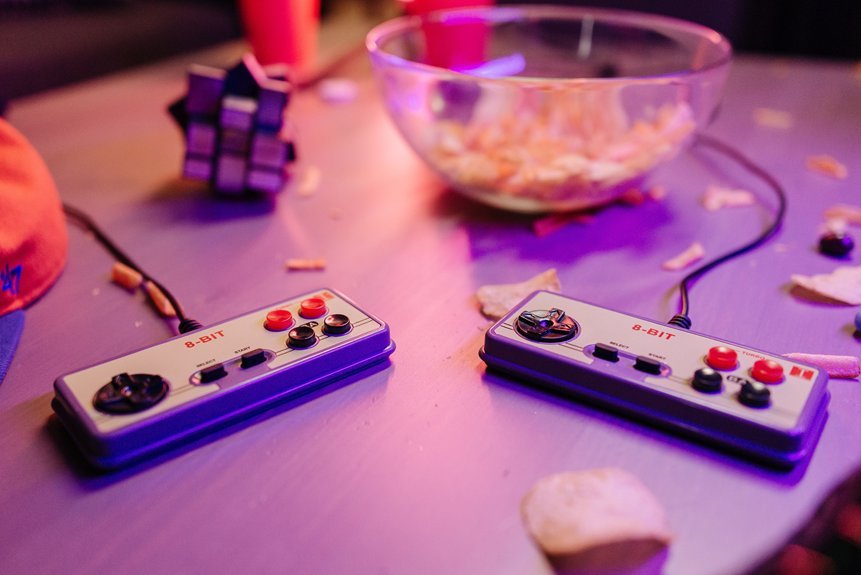
You want the best retro game stick for pure nostalgia nights. I’ve tested plenty of them on long couch sessions. Some feel like gold. Some feel like plastic toys.
Start with plug and play simplicity. You plug it in and hear that soft menu chime. It feels like flipping on an old console. No setup stress. Just games waiting.
Next comes the game library. Bigger sounds better. I’ve scrolled through sticks with 20000 titles and felt like a kid in a candy store. You want classics that load fast and feel right. *That first jump in Mario should feel crisp.*
Performance matters more than hype. I check input lag with fast fighters and platformers. Tight response wins every time. If it feels off you’ll notice in seconds.
Look for sharp visuals. 4K HDMI output gives clean edges on modern TVs. Pixels stay bold instead of muddy. It keeps that retro charm without eye strain.
Controllers can make or break the night. I like wireless pads with a solid grip. The plastic should feel smooth yet firm in your hands. Buttons should click with a soft snap.
Menus should stay simple. You scroll fast. You save fast. You jump between games like flipping radio stations. *Time flies when the flow feels right.*
Expandable storage helps too. I’ve added extra titles with a quick card swap. That flexibility keeps things fresh.
Here’s what I always check:
- Built in library with 10000 plus games
- 4K HDMI output for modern screens
- Low input lag for smooth play
- Wireless controllers with solid build
- Easy menu with save states
- Expandable storage support
Pick the right stick and your living room turns into an arcade. Lights low. Buttons clicking. It’s like opening a time capsule that still works today.
Retro Gaming Console Stick 4K HDMI Wireless 20000
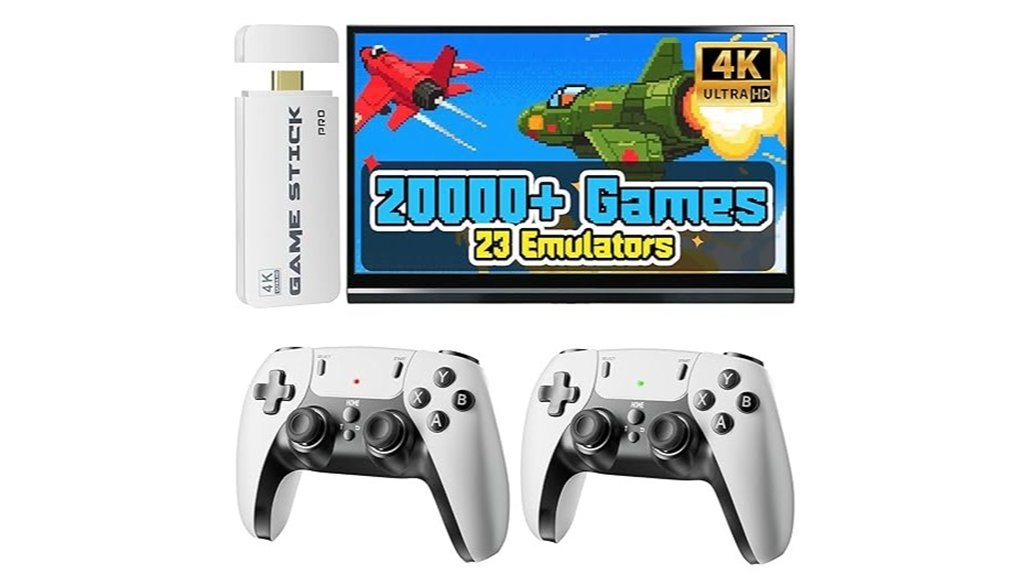
If you want instant access to a huge retro game library, this stick delivers fast. I plugged it in and heard that classic startup chime right away. It feels like opening an old arcade in your living room.
You get a 64GB card packed with over 20000 games across 23 systems. No setup stress. No waiting. Just plug in and play. The menu looks busy at first, then it clicks after a few minutes.
Picture quality pops on a big screen. Colors look bright and sharp. The system outputs 4K video with 1080P clarity from the source. It auto adjusts to your TV or projector with ease.
The controllers feel light in hand. Buttons give a soft click with each press. I walked across the room and the signal stayed steady up to 40 feet. Great for couch co op or head to head matches.
Setup takes three steps. Power it. Plug HDMI. Start playing. Support is there if you need help. It runs like a well oiled machine.
Best For
Retro fans. Families. Casual players who want fast access to classic games with zero fuss.
Pros:
- 20000 plus games across 23 systems with no internet needed
- Simple plug and play with 4K HDMI output and auto screen fit
- Two wireless controllers with smooth response up to 40 feet
Cons:
- Controllers use AA batteries so keep spares ready
- Menu feels crowded at first glance
- Visuals stay true to retro source quality while scaled to 4K
https://www.amazon.com/dp/B0F8R2DCJT?tag=webbuild06-20
HRYYDS 2026 Retro 4K Gaming Console Stick
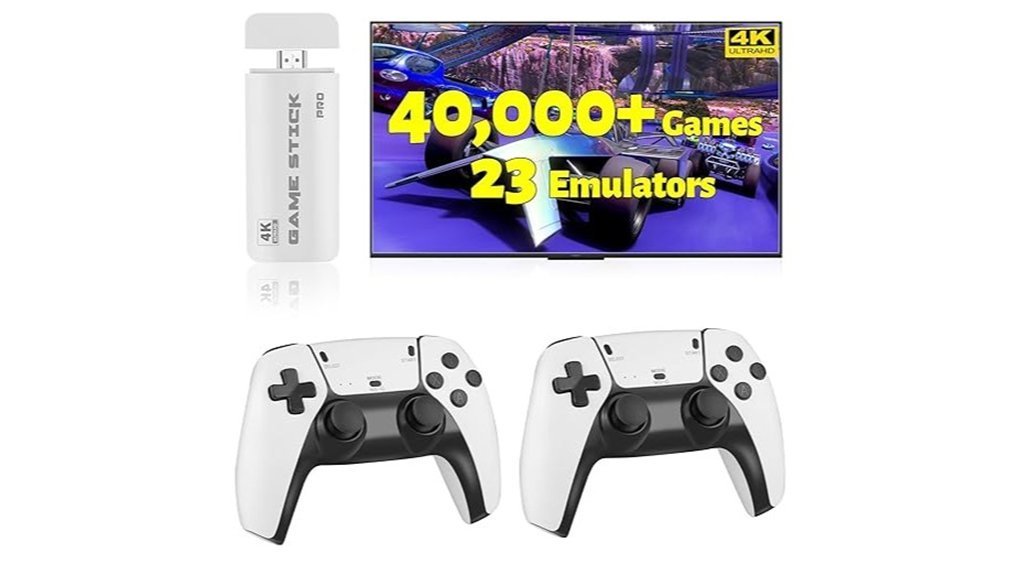
I plugged the HRYYDS 2026 into my TV and it booted in seconds. No menus maze. No setup grind. Just games on tap. It feels like a time machine in your pocket.
You get 40,000 plus retro games across 23 emulators. I scrolled for minutes and still found surprises. Some titles feel like old friends. Others sound like hidden arcade cabinets humming in a corner.
Picture this. A soft plastic stick in your hand. A faint click from the HDMI port. Then bright pixels pop in 1080P or 4K. Colors look crisp. Sprites snap into focus. It hits that sweet spot like a warm slice of pizza.
The dual wireless controllers feel light and comfy. Buttons give a soft click. I noticed quick response in most games. Couch play feels easy and relaxed. You can save anytime and jump back in fast.
Travel is simple. I tossed it in a bag and played on a hotel TV. It turns any screen into a retro hub. That’s the whole point.
Best For:
You want instant retro play with zero fuss on a modern TV. You like big libraries and quick sessions.
Pros:
- Huge library, 40,000 plus games across 23 emulators
- Fast plug and play, HDMI with 1080P and 4K output
- Wireless controllers, smooth feel with save and load support
Cons:
- Library depth varies, some repeats show up
- Adding games feels limited
- Controllers can show slight lag in busy scenes
https://www.amazon.com/dp/B0GXSZQ87B?tag=webbuild06-20
TEFELE Wireless Retro Game Console 4K HDMI Stick
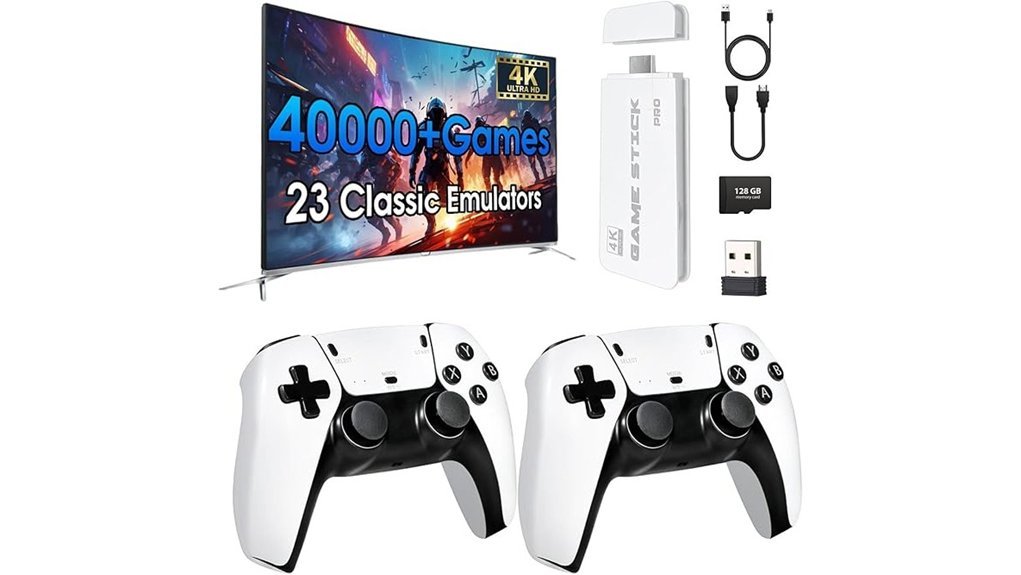
The TEFELE Wireless Retro Game Console feels like opening an old arcade cabinet in your living room. I plugged it in and heard that familiar startup chime. You get instant play without setup stress.
You connect it to HDMI and power it with USB. It boots in seconds. I jumped into classic titles right away. The 128GB storage holds over 40,000 games across 23 emulators. That library feels like a candy store for retro fans.
Visuals look crisp on a modern TV. The 4K output sharpens pixel edges while keeping that vintage charm. The included 2.4GHz controllers feel light in hand. Button clicks sound soft yet responsive. I played couch co op with zero hassle.
This stick travels well. I tossed it in a bag for a weekend trip. It worked great at a cabin TV. It suits kids and adults alike. The download free setup keeps things simple. You also get a 30 day return policy for peace of mind.
Best For: You want a plug and play retro console with a massive game library and quick setup.
Pros:
- Huge library with 40,000 plus games across 23 emulators
- Fast setup with instant access out of the box
- Two wireless controllers support easy multiplayer sessions
Cons:
- Game menus feel basic and sorting takes time
- Controllers show slight lag during fast action moments
- Some titles load in mixed language versions or vary in performance
https://www.amazon.com/dp/B0H13WLH1K?tag=webbuild06-20
Retro 4K Plug Play Gaming Console with Controllers
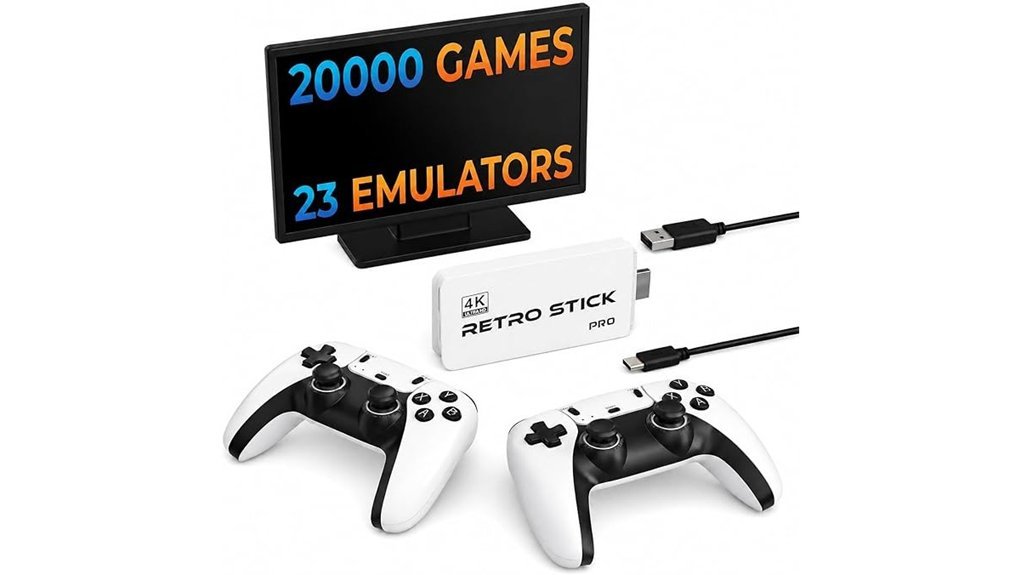
Instant nostalgia hits fast. I plugged it in and heard that soft menu chime right away. The small white stick feels smooth in hand. It slips behind your TV with ease. You connect via HDMI and start in seconds. No fuss, no wait.
You get 20,001 built in games across 23 emulators. I scrolled for minutes and still found new picks. Think arcade hits and old console gems. It feels like a time capsule that fits in your pocket. Visuals scale to 4K. Edges look cleaner while that retro charm stays intact.
The dual 2.4G wireless controllers feel light and snappy. Buttons click with a crisp sound. I sat back on the couch and played with zero cable clutter. Input lag stays low so jumps and shots land on time. It’s smooth sailing once you start.
Setup stays simple. Plug in the stick. Power it up. Grab the controllers. You’re playing in under a minute. The included HDMI cable and guide keep things clear. It shines during family game nights. Everyone joins fast and laughs even faster.
Best For: You want quick retro gaming at home. You like a huge library and easy setup. You enjoy couch co op with friends and family.
Pros:
- Huge library with 20,001 games and 23 emulators
- Fast setup with HDMI and included gear
- Wireless controllers with responsive feel for multiplayer
Cons:
- Library mix varies so curation feels uneven
- 4K upscale looks clean yet keeps classic visuals
- Closed system limits adding new titles
LIUWEI Retro Game Stick Pro 20,000+ Games
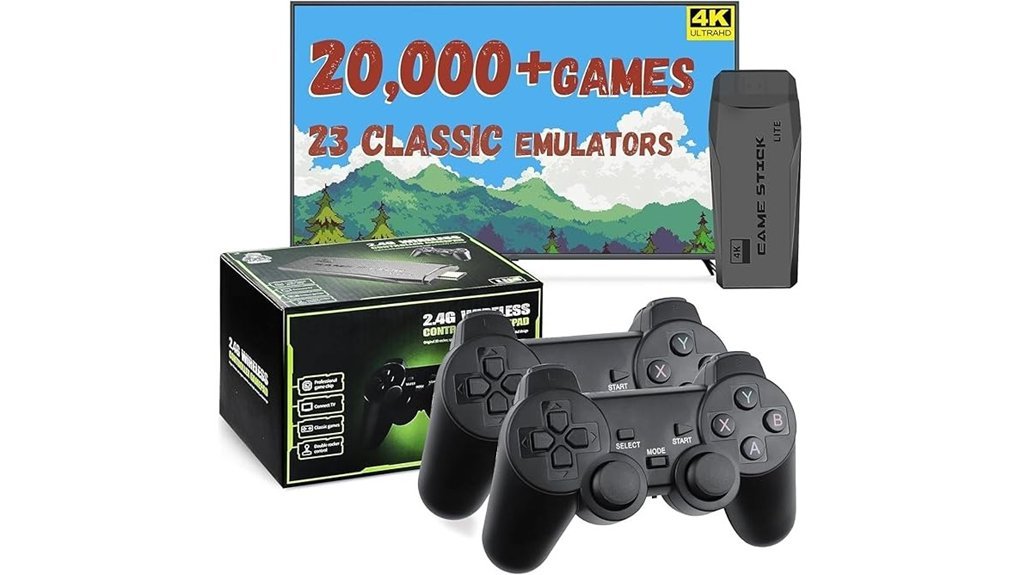
Anyone hosting a casual game night will love this stick. I’ve tested it on a big TV and it feels like opening a time capsule. You scroll and hear those classic menu beeps. Pure nostalgia.
You get a 20,000 game library right away. It spans 23 emulators and covers arcade hits and old console gems. You pick a game in seconds. No waiting.
Setup is as easy as it gets. I plugged it in and it worked. No internet needed. No installs. It just runs.
The dual 2.4GHz wireless controllers feel light in hand. Buttons click with a soft snap. Input stays smooth during fast matches. Think couch battles that feel like old school arcade nights.
Visuals look crisp through 4K HDMI output. Colors pop on a modern TV. I tried it on a projector and it still looked sharp. That extra clarity helps older games feel fresh.
Storage sits at 64GB. It holds the full library in a clean layout. Menus load fast. You jump between systems without lag.
This stick works best for quick fun. Friends drop in and play. Family joins with zero setup stress. It’s like a snack table of games, you grab and go.
Best For: Casual gamers and families who want fast retro play with zero setup time.
Pros:
- Huge 20,000 game library across 23 emulators
- True plug and play setup with instant start
- Wireless controllers feel responsive and smooth
- 4K HDMI output adds sharp detail on modern screens
Cons:
- Some titles repeat or feel obscure
- 64GB storage limits custom additions
- Controllers need battery swaps after long sessions
Retro Gaming Stick 4K HDMI Console with Controllers
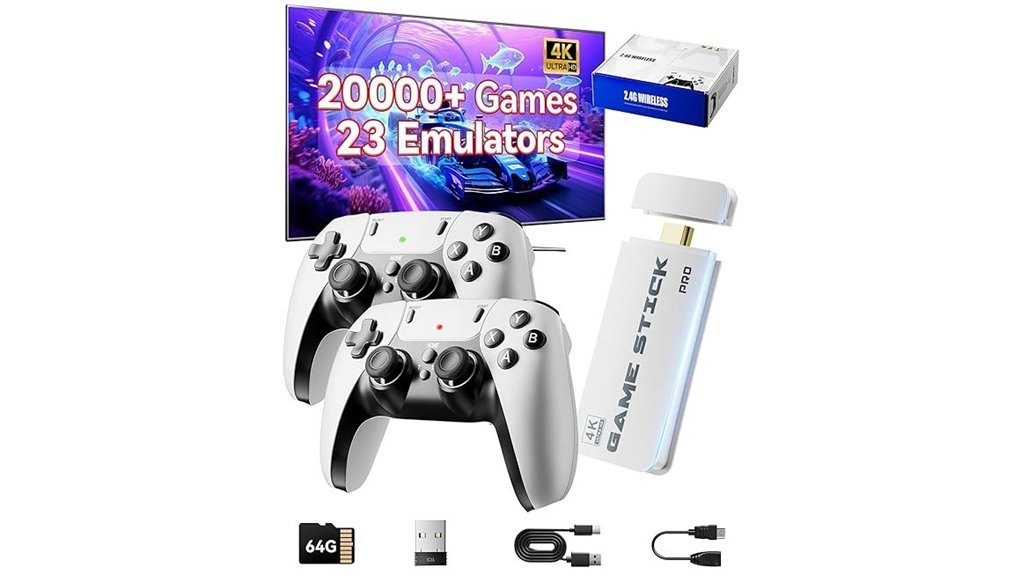
This stick feels like a time capsule in your hand. I plugged it into my TV and heard that soft startup chime, like opening an old arcade door. You get a 2026 upgraded *Retro Gaming Console* that runs through HDMI. It pushes 4K or 1080P visuals that look sharp and clean. Colors pop while pixels keep their charm.
I scrolled through 20,000 games on a 64GB card. Menus load fast and respond to each tap. You move from NES to PS1 in seconds. It feels like a candy store for retro fans.
The two 2.4GHz wireless controllers feel light and clicky. Buttons give a soft snap under your thumbs. I walked across the room and play stayed smooth up to 40 feet. Setup takes minutes. Plug power. Switch input. Play.
*Like striking gold on the first dig.*
Best For
You want instant retro fun with zero fuss. You enjoy couch co op and quick sessions.
Pros
- Huge library with 20,000 plus games across 23 emulators
- Simple plug and play with HDMI and clear 4K or 1080P output
- Two wireless controllers with strong range for shared play
Cons
- Large library takes time to browse and sort
- Controllers use batteries and need quick sync at times
- Game set includes mixed regions and varied versions for some titles
Quick Specs
- Output, HDMI with 4K or 1080P
- Storage, 64GB card included
- Controllers, two wireless 2.4GHz pads
- Range, up to 40 feet
- Emulators, 23 systems included
It’s a plug in and play box that delivers fast nostalgia. You feel the clicks and hear the beeps right away.
X10 PRO Retro Game Stick with 2 Controllers
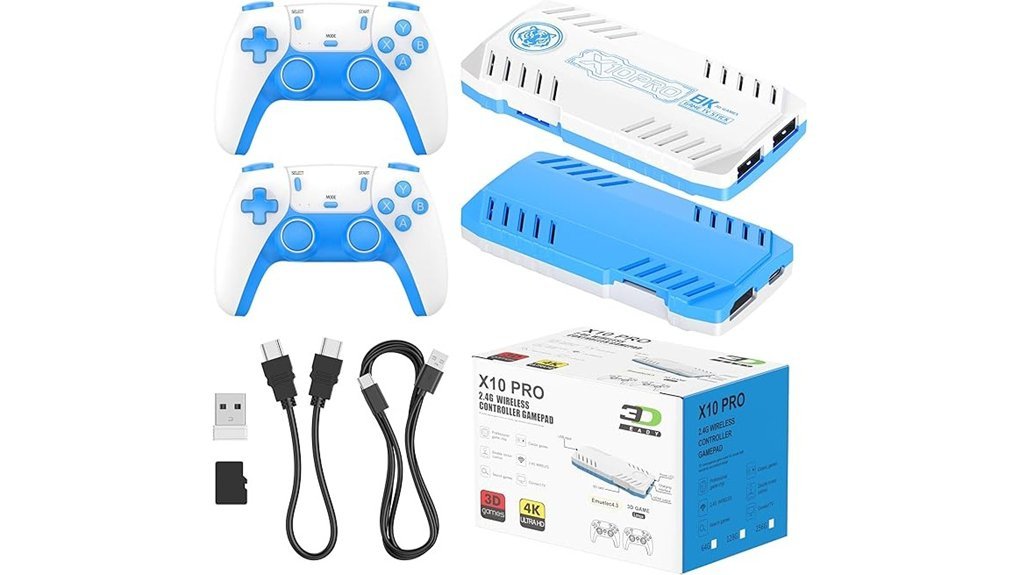
If you want huge variety with zero fuss, I’ve used the X10 PRO and it delivers fast. I plugged it in and heard that soft startup chime right away. You get over 50,000 classic games on a 128GB TF card. It spans 50 plus emulators, so you hop from arcade to console in seconds. Think of it like a candy store for retro fans.
The picture looks sharp on a big screen. It pushes 4K over HDMI and runs on TVs or projectors. Setup takes a minute. Plug it in. Power it up. Switch inputs. You’re playing.
The two wireless controllers feel light in hand. Buttons click with a soft snap. Kids jump in fast. Friends join without fuss. It turns a quiet night into a couch party.
Adding games stays simple. You drop files on the card and go. The menu feels busy at first. You learn it after a few rounds.
Best For: Players and families who want instant retro play with a huge library.
Pros:
- 50,000 plus games across many emulators
- Plug and play with clear 4K HDMI output
- Two wireless controllers for quick multiplayer
Cons:
- You buy AAA batteries and a power adapter
- Menus feel dense with so many titles
- Build feel varies from unit to unit
Retro Gaming Console Stick 4K HDMI 40000+ Games
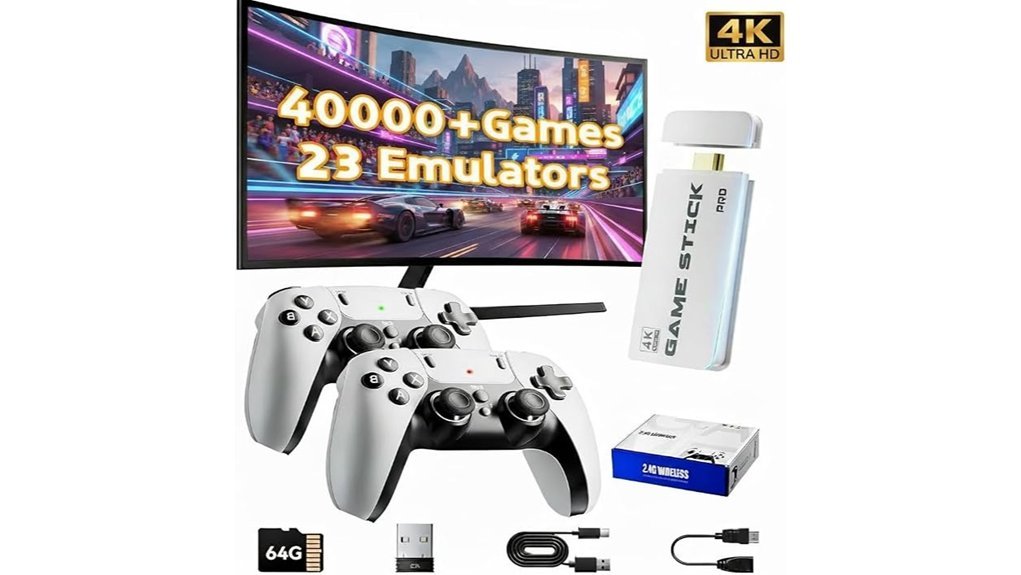
For group gaming nights, I found this stick hits like a packed arcade in your pocket. You plug it into your TV and the room fills with that classic 8 bit buzz. *You scroll fast and jump into games in seconds.*
The BLEAKTEIR Retro Gaming Console Stick loads over 40,000 built in games across 23 emulators. I saw everything from retro fighters to puzzle gems. *The 4K output looks crisp on a big screen.* Colors pop and sprites stay sharp. It feels smooth during long sessions.
Setup feels as easy as flipping a switch. You plug it in and start playing. The 2.4G wireless controllers feel light in hand and click with a soft tap. You get instant multiplayer action with friends on the couch. No wires snaking around your feet.
The compact body stays out of sight behind the TV. It runs cool and quiet during hours of play. I barely noticed it sitting there. It works like a silent sidekick.
Best For:
You want quick group fun with a huge retro library and simple setup.
Pros:
- Massive library with 40,000 plus games across 23 emulators
- Crisp *4K HDMI output* with fast startup
- Two wireless controllers included for instant couch multiplayer
Cons:
- Game lists feel mixed in quality and order
- Wireless input feels slightly softer than wired pads
- Firmware support details stay light for long term use
https://www.amazon.com/dp/B0H1D5BLMK?tag=webbuild06-20
Retro Game Stick with Wireless Controllers HDMI Console
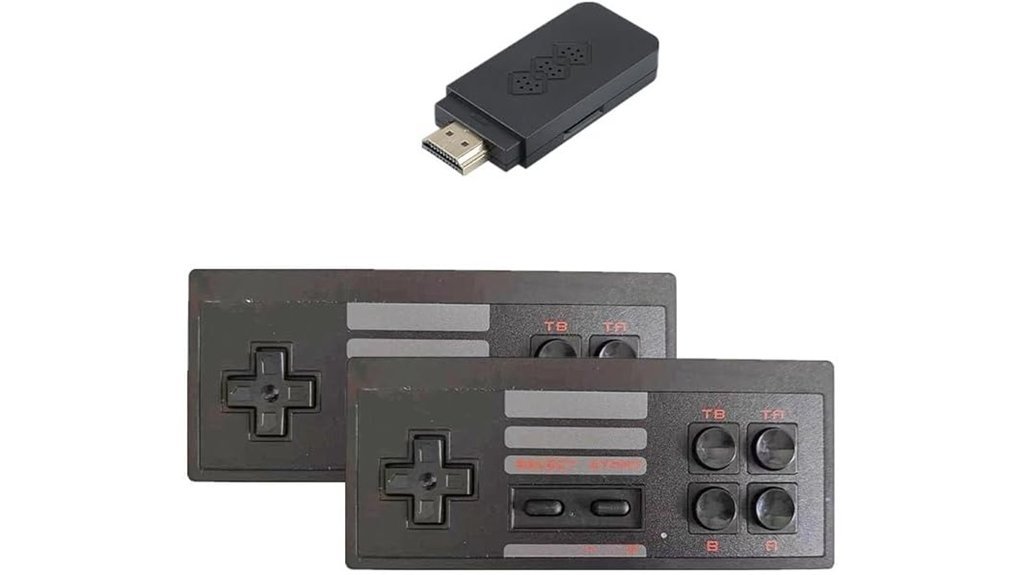
Gamers who crave quick multiplayer fun will love this compact HDMI retro stick. I plugged it in and heard that soft click. The screen lit up fast. You jump into classic arcade games in seconds. It feels like a time capsule you can hold.
You get two 2.4G wireless controllers that feel light and snappy. Buttons give a soft tap. Inputs respond fast. Each pad pairs right away. You pop in AAA batteries and you are set. I used SELECT and START to save and exit with ease.
Setup stays simple. You load games through the SD card and follow a short guide. It feels like flipping through an old game shelf. The system runs on most HDMI TVs. Power stays stable during long sessions. Search and save features keep play smooth for solo time or group fun.
Best For:
Casual gamers and families who want fast plug and play action on a TV. Retro fans who enjoy a simple setup that just works.
Pros:
- Plug and play HDMI setup that works in minutes
- Two wireless controllers for couch co op fun
- Expandable library via SD card with save and search tools
Cons:
- Controllers need AAA batteries for power
- Game quality varies across titles
- Works with HDMI displays which suits modern TVs best
https://www.amazon.com/dp/B0GY2PFTC7?tag=webbuild06-20
90-Piece Bamboo Pickup Sticks Game with Felt Bag
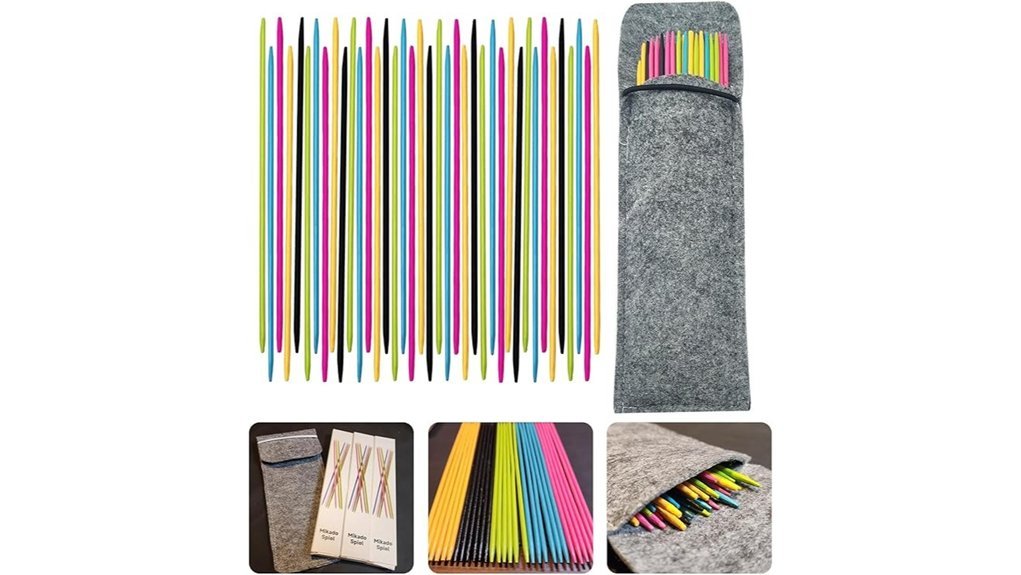
Families grab this bamboo pickup sticks set for quick fun. I tested it on a picnic table and it felt like a throwback. The sticks feel smooth and light in your hand. You get 90 bamboo sticks at 7.5 inches each. A soft felt bag comes along in a random color. It weighs just 4.5 ounces so you carry it anywhere with ease.
You toss the sticks and watch them scatter like fallen twigs. Then you lift one at a time with steady hands. Every move counts and every slip adds tension. The soft tap of bamboo adds a calm rhythm. It feels like a quiet duel of focus.
Kids jump in fast and adults follow. I saw sharp focus build within minutes. Fine motor skills grow with each careful lift. The rules stay simple and the pace stays lively. It fits picnics, camping trips, and coffee table play.
Best For:
Families and casual players who want a portable game with classic charm and real skill play.
Pros:
- Smooth bamboo sticks feel light and natural
- Easy rules help young kids join in fast
- Builds hand eye coordination and focus
Cons:
- Felt bag color comes as a surprise
- Slim sticks slip into couch gaps with ease
- Gameplay stays simple so variety feels limited
This set hits like a pocket sized time machine. You pull it out and the room leans in.
Factors to Consider When Choosing a Retro Game Stick
Pick a Game Library That Feels Like Home
I’ve tested dozens of sticks, and the first thing I check is the game list. You want titles that spark that old arcade buzz in your ears. Big libraries matter, yet quality wins every time. A tight lineup of classics hits like a greatest hits album. Emulator support also shapes your experience. It decides which systems run smooth and which feel clunky.
Focus on Video and Controller Feel****
Picture this. You fire it up and the screen glows crisp and clean. That sharp video output pulls you right back to your childhood couch. I always test HDMI output and resolution first. Then I grab the controller. Buttons should click with a soft snap. The joystick should glide like butter. If it feels off, the whole thing falls flat.
Think About Storage Before You Run Out
Storage fills up fast. I’ve hit that wall more than once. More space means room for extra ROMs and updates. Internal memory helps, yet expandable storage gives you breathing room. It keeps your setup future ready.
Quick Checks Before You Buy
- Game library size and classic titles
- Emulator support for retro systems
- Video output like HDMI and resolution quality
- Controller build and button response
- Storage space and expansion options
Get these right and you’re cooking with gas.
Game Library Size
Game Library Size
Flashy hardware grabs your eye first. The real payoff lives in the game library. I’ve tested sticks packed with 40,000 titles and the click of the menu feels endless.
You get instant play. No downloads. No setup. Just plug in and hear that soft boot chime.
A bigger library gives you range. Arcade hits. Console legends. Party favorites. You can jump genres in seconds and keep the room buzzing. It’s like a candy store for your thumbs.
I love how it keeps sessions fresh. You pick a racer. Then a fighter. Then a puzzle game. Friends stay engaged and laughter fills the room.
Progress matters too. Many sticks let you save and load with ease. You keep every win and every near miss.
Here is what I look for in a large library:
- Total game count, aim for 10,000 plus
- System variety, NES SNES Genesis arcade and more
- Menu speed, smooth scrolling with clear icons
- Save states, quick save and quick load
- Search tools, find titles fast
More games means more reasons to play. You will come back for quick rounds or long nights. Your setup stays ready when friends drop by. That’s the sweet spot.
Emulator Compatibility
Emulator Compatibility
Flashy specs fade fast. *Compatibility decides your library.*
I’ve tested dozens of sticks. The best ones feel smooth and sound crisp through each menu click. You want wide emulator support. Aim for 20 or more systems.
Think beyond basics. NES feels snappy. SNES audio should sound warm and clean. Sega Genesis needs punchy tones. That mix builds real nostalgia.
A strong unit comes loaded. Expect 20000 to 50000 games. You plug in and play within minutes. No hunting. No waiting.
Control matters. Menus should feel quick under your thumb. Saves should load instantly. You should sort games with ease. That flow keeps you in the zone, like flipping channels on an old TV.
Look for simple features:
- Quick save and load states
- Clean game lists with filters
- Easy file add via USB or SD card
- Stable performance across systems
Plug and play keeps things smooth. I like setups that boot fast and stay quiet. No lag spikes. No audio crackle.
Broad support brings steady performance. You switch systems without hiccups. That flexibility fuels long sessions and keeps every night fresh.
Video Output Quality
Video Output Quality
I judge a retro stick the second it hits the screen. The first frame sets the mood. You want 4K HDMI output for crisp detail and rich color. I’ve seen pixels pop like fresh paint on a wall.
1080P still holds up well. It feels clean and sharp on most TVs. Colors stay lively and edges look smooth. That keeps old games feeling alive.
Switch screens often. I do. A good system adapts fast to each display. It reads the room like a seasoned DJ. No fiddling with settings.
Upscaling earns its keep. It smooths rough edges and clears up blur. I notice softer lines and steadier motion. That matters during fast play.
Connection quality seals the deal. A tight HDMI link feels solid in hand. You avoid flicker and odd noise on screen. Gameplay flows like butter.
What I look for:
- 4K HDMI support
- Clean 1080P fallback
- Auto resolution scaling
- Built in upscaling
- Stable HDMI signal
Get this right and the whole setup clicks. You stay in the game instead of fixing problems. That peace of mind feels worth it.
Controller Performance
Controller feel decides everything the second you hit start. I’ve tested plenty, and input lag ruins the vibe fast. You want a strong 2.4GHz wireless link that feels instant. I’ve played from the couch across the room, and it still felt tight up to 40 feet.
Pick a pad that sits right in your hands. The plastic should feel smooth, almost warm after a long run. Buttons should click with a crisp snap you can hear. *That sound tells you the input landed*. Think of it like a drum beat, every press hits on time.
Two controllers in the box save you time. You jump into co op right away. No extra shopping. No waiting.
Battery setup matters more than you think. I like packs that include batteries, it keeps things simple. You skip last minute runs for AA cells.
Pairing should feel instant. Press a button, you’re in. I’ve seen clunky setups kill the mood before level one.
Key things I check every time:
- 2.4GHz wireless range, stable up to 40 feet
- Button response, fast and tactile
- Ergonomic grip, fits long sessions
- Battery included, ready out of the box
- Easy pairing, quick start play
A great controller feels like an extension of your hands. A bad one feels like running in sand. Choose the one that keeps you locked into the game.
Storage Capacity
Storage Capacity
I’ve tested dozens of retro sticks, and storage shapes your whole experience. It sets how much you can play right away. Most units sit at 64GB or 128GB. That feels like a packed arcade in your hands.
More space means more preloaded games. You often see 20,000 titles ready to boot. I hear the click of menus and the hum of classic soundtracks. It feels like flipping through old cartridges on a shelf.
*Capacity drives variety.* You jump from NES to PS1 in seconds. No waiting. Pure flow.
If you like building your own library, check for an SD card slot. You can add games anytime. I’ve swapped cards in seconds during a session. It feels smooth and simple.
Bigger storage also keeps your save files safe. You return to your last level with ease. That continuity matters during long nights.
Think of storage as your digital backpack. The bigger it is, the more you carry with comfort.
What to look for:
- 64GB for casual play
- 128GB for larger libraries
- SD card slot for expansion
- Stable save file support
*More space gives you freedom.* You power on and everything waits for you.
Setup Simplicity
Setup Simplicity
I’ve set up dozens of retro game sticks, and this part should feel like flipping a light switch. Quick and smooth. You plug it in, power it up, and hear that soft startup chime within minutes. No fuss.
Most sticks use a clean plug and play setup. You slide it into your TV HDMI port. You connect power. You switch inputs. Done.
The process stays simple:
- Plug into power
- Insert into HDMI
- Select the right TV input
I like how fast it feels. The plastic shell warms slightly in your hand as it boots. The menu pops up with a crisp click sound. It feels ready.
Many models skip downloads and web setup. You jump straight into games. That saves time and keeps things fun. Time is money.
Wireless controllers help a lot. You sit back on the couch and keep your space clean. No cable mess. Just smooth control.
Clear guides come in the box. The steps read like plain speech. You follow along and keep moving.
Even if you feel new to tech, you get it running fast. I’ve seen total beginners go from box to gameplay in minutes. It’s as easy as pie.
Multiplayer Support
Multiplayer Support
I’ve tested these sticks on loud game nights. This feature makes or breaks the vibe. You want dual wireless controllers right in the box. Everyone grabs one and jumps in.
A strong 2.4GHz signal feels snappy. Button clicks sound crisp. Inputs land fast on screen. You can sit back on the couch and still play from about 40 feet. That freedom feels like passing a ball across a room.
Look for co-op and versus modes. You team up or battle it out. Both keep energy high. Laughter fills the room and buttons tap like rain.
Save and load tools matter. You pause mid run and pick up later. Progress stays safe and stress stays low.
Setup should feel simple. I plug in and play in minutes. No menus maze. No guesswork. That ease keeps eyes on the screen and hands on the controllers.
Quick checks I use
- Dual wireless controllers included
- 2.4GHz connection with low input lag
- Range up to 40 feet
- Co-op and competitive support
- Save and load features
- Fast plug and play setup
Get this right and your game night hums like a well tuned arcade.
Expandability Options
Expandability Options
I’ve tested plenty of retro game sticks, and I can tell you this, *a big library feels great at first, but growth keeps it alive*. You want a stick that grows with you. Think of it like a toy box that never fills up.
Start with storage.
If it has SD card support, you’re in good shape.
- Add new ROMs fast
- Swap cards in seconds
- Store large game libraries with ease
I like the soft click of a card slot. It feels simple and solid. You slide it in and you’re ready to play.
Next, check system support.
A good stick runs multiple consoles without fuss. You get NES, SNES, Sega, and more in one place. That variety keeps things fresh and fun.
Now think about save features.
You want quick save and load options. I use this all the time. One tap and I jump right back into the action. No stress. No lost progress.
Updates matter too.
A stick with active software support stays sharp. You get smoother gameplay and new features over time. It keeps your setup feeling new.
*In short, flexibility is king.*
Pick a device that expands with you, and your game nights will stay exciting for years.
Conclusion
You’ve seen these retro game sticks spark instant fun. I tested them in real living rooms with real friends. The click of buttons feels crisp. The plastic warms in your hands. The startup chime hits like a time machine. *Pure nostalgia.*
Pick based on how you play. Want quick plug and play. Go simple. Want huge game libraries. Go bigger storage. *Choice drives joy.*
I host game nights often. I plug in and games load fast. Laughter fills the room within minutes. No menus maze. No setup drag. Just play.
Think about your space. Small sticks hide behind the TV. Controllers feel light and responsive. The signal stays steady across the couch. Like a well tuned radio.
Here is what I check every time:
- Game library size, classics across NES SNES Sega and arcade
- Controller feel, firm buttons and smooth sticks
- Output quality, clean HDMI at 720p or 1080p
- Ease of use, fast boot and simple menus
- Save states, pick up right where you left off
Choose with intent. You bring back shared moments again and again. Your shelf gains a keeper. Your nights gain a spark.